KrissiJ
Rated 5 out of 5Sep 25, 2026
Just what I needed because we print a lot. With ink being so expensive, you really get your money's worth!
Helpful?

Backed by Extend & AZ Discount USA. Transferable if gifted; cancel anytime for a prorated refund. Full terms
| Brand | Epson |
|---|---|
| Model Number | C11CL43201 |
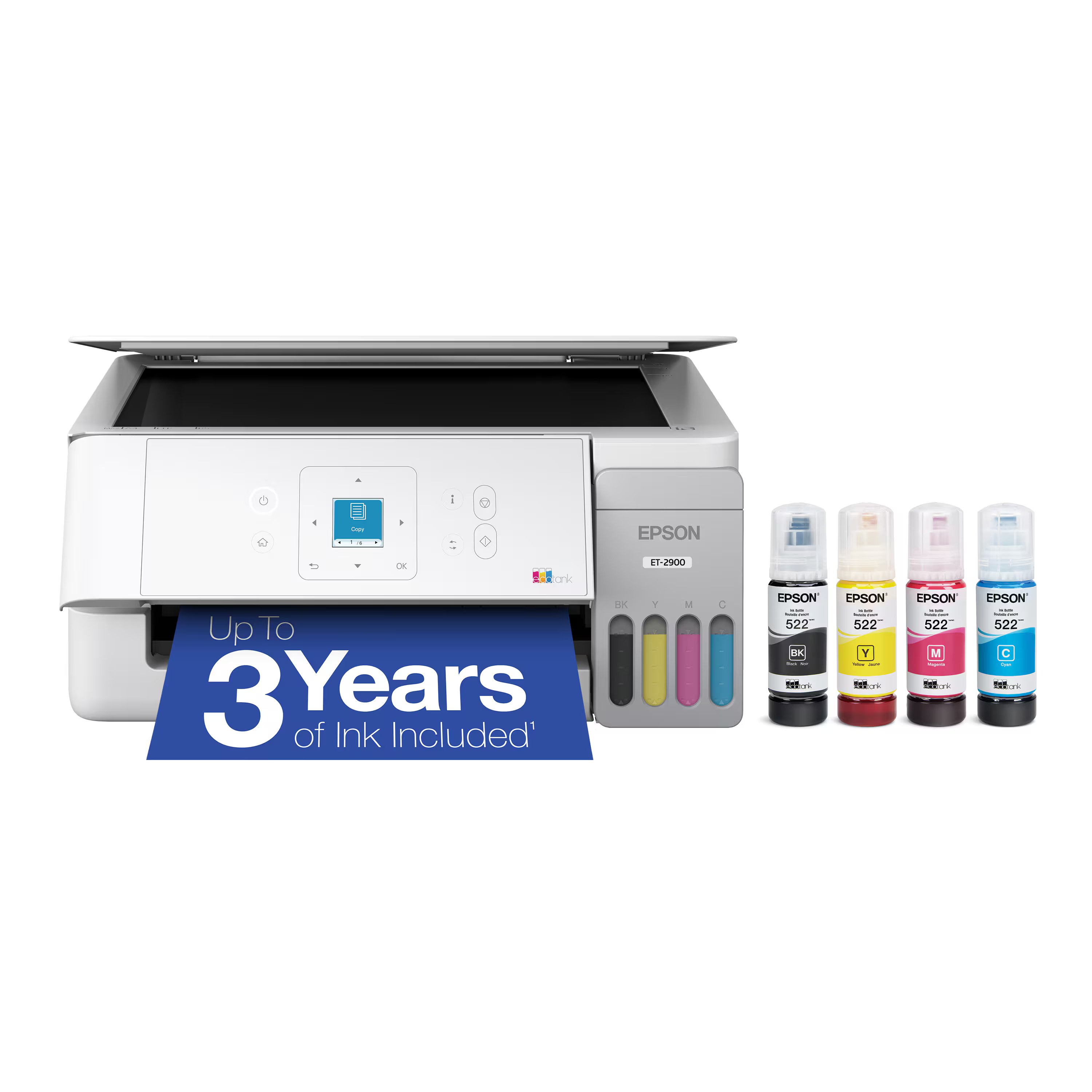
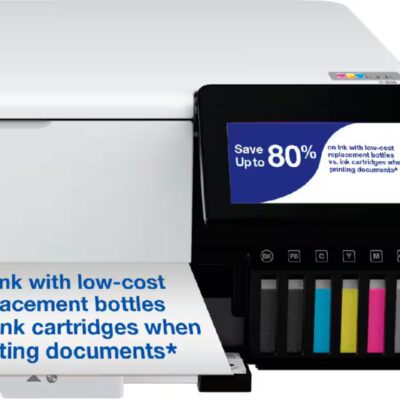
| Product Name | EcoTank ET-3950 Wireless All-in-One Color Supertank Inkjet Printer |
| Color | White |
| Networking | Wireless |
| ENERGY STAR Certified | Yes |
| Product Height | 9.4 inches |
| Product Width | 14.8 inches |
| Product Depth | 13.7 inches |
| Product Weight | 15.9 pounds |
| Automatic Document Feeder | Yes |
| Photo Printing | Yes |
| Wide Format Printing | No |
| Wide Format Scanning | No |
| Printer Type | Printer |
| Monochromatic/Color | Color |
| Wired Connectivity | USB-B |
| Wireless Connectivity | Wi-Fi |
| Automatic Reduction/Enlargement | Yes |
| Automatic Two-Sided Printing | Yes |
| Tray Capacity | 250 |
| Scanner Type | Flatbed |
| Duty Cycle | Up to 10,000 |
| Compatible Cartridges | Epson T502 |
| Ink Cartridges Required | None |
| Ink Cartridges Included | None |
| Ink Bags/Bottles Required | 1 x Black |
| Ink Bags/Bottles Included | 1 x Black |
| Automatic Document Feeder Capacity | 30 sheets |
| Supported Paper Sizes | 3.5" x 5", 4" x 6", 5" x 7", 8" x 10", 8.5" x 11", 8.5" x 14" |
| Paper Feeder | Cassette tray |
| Maximum Number Of Copies | 99 |
| ISO Color Print Speed | 9 pages per minute |
| ISO Mono Print Speed | 18 pages per minute |
| Printer Resolution (Black) | Up to 4800 x 1200 |
| Printer Resolution (Color) | Up to 4800 x 1200 |
| Approximate Page Yield (Black) | 6600 |
| Approximate Page Yield (Color) | 5500 |
| Scanner Resolution | Up to 1200 x 2400 |
| Output Tray Capacity | 30 |
| Touch Screen | No |
| Warranty - Parts | 1 year limited |
| Warranty - Labor | 1 year limited |
| Display Screen | Yes |
| Display Screen Size | 2.4 inches |
| UPC | 198390000936 |
No specifications match your search. Try a shorter word, like “port” or “weight”.
Just what I needed because we print a lot. With ink being so expensive, you really get your money's worth!
We replaced a 5 year old printer with the 3950 and very please with it.
Easy to setup for my desktops and my family's cell phones. Great quality print in both color and B&W
I get the Epson -Eco ET-3950 excellent product i recomend this product good price last long
I get the Epson -Eco ET-3950 excellent product i recomend this product good price last long
Prints well as expected and ink features are unique and inventive. Definitely recommended.
The sales person way over sold the plug and play aspect of this. I still don't have it working and am going to have to hire someone to help me with it.
Love this printer! Great set up instructions and Prints quick!
Prints well as expected and ink features are unique and inventive. Definitely recommended.
The sales person way over sold the plug and play aspect of this. I still don't have it working and am going to have to hire someone to help me with it.
Love this printer! Great set up instructions and Prints quick!
Love the fact that I do not have to buy cartridges and that the ink lasts so long.
Has been fantastic and easy to set up and use. Would highly recommend
Being a homeschool family, we print a ton. I argued for a laser printer, but my wife who does most of the homeschooling preferred an inkjet. Inkjet it was. I just didn't want to spend a fortune on ink. After some research and input from a Best Buy employee, we settled on this one. Couldn't be happier. We have so far printed hundreds of pages, mostly in color. The ink levels in the tank have only slightly budged. I can easily see a full tank fill lasting thousands of pages. And the ink to do a full fill was included in the box. Nice move there. We do most of the printing over wifi and it has been seamless from every device: PC, Mac, iPhones, Chromebooks, even with my work laptop over the internal VPN. Overall very happy with this product.
I bought this to replace a color laser printer because it was too expensive to replace cartridges. After a month, I am very happy with the Ecotank. The printing is crisp and clear, two sided printing and scanning works fine and the price was reasonable. I think it was the least expensive option for getting both two sided printing and two sided document feeding in the scanner and worth the price.
I love the size, fits into a small office place, and the refillable ink. The price was reasonable. The look of the printer is sleek, and love that it comes in white color. The auto feed is a plus, along with the screen in the front for manual operation. I would deffinately purchase again.
No hassles connecting to Wi-Fi or our devices to print. Works great.
Love the fact that I do not have to buy cartridges and that the ink lasts so long.
Has been fantastic and easy to set up and use. Would highly recommend
Being a homeschool family, we print a ton. I argued for a laser printer, but my wife who does most of the homeschooling preferred an inkjet. Inkjet it was. I just didn't want to spend a fortune on ink. After some research and input from a Best Buy employee, we settled on this one. Couldn't be happier. We have so far printed hundreds of pages, mostly in color. The ink levels in the tank have only slightly budged. I can easily see a full tank fill lasting thousands of pages. And the ink to do a full fill was included in the box. Nice move there. We do most of the printing over wifi and it has been seamless from every device: PC, Mac, iPhones, Chromebooks, even with my work laptop over the internal VPN. Overall very happy with this product.
I bought this to replace a color laser printer because it was too expensive to replace cartridges. After a month, I am very happy with the Ecotank. The printing is crisp and clear, two sided printing and scanning works fine and the price was reasonable. I think it was the least expensive option for getting both two sided printing and two sided document feeding in the scanner and worth the price.
I love the size, fits into a small office place, and the refillable ink. The price was reasonable. The look of the printer is sleek, and love that it comes in white color. The auto feed is a plus, along with the screen in the front for manual operation. I would deffinately purchase again.
No hassles connecting to Wi-Fi or our devices to print. Works great.
I wanted the printer that would be easily recognized as an air printer by all my Apple products. That has not worked out. It was incredibly complicated and I still can’t get it to be identified as an air printer. I finally got it to work on a couple of my devices, but it has been very frustrating. I even tried doing it twice.
I wanted the printer that would be easily recognized as an air printer by all my Apple products. That has not worked out. It was incredibly complicated and I still can’t get it to be identified as an air printer. I finally got it to work on a couple of my devices, but it has been very frustrating. I even tried doing it twice.
Had a really hard time setting up the printer. There is very little printed instruction, not helpful when the AI setup leads you to a dead end. I could set the printer with an internet connection, but we are also using direct connect in the office which means I have to use the direct wireless (whatever that is). The internet wireless cannot be used with the direct connect. The direct wireless could not find the driver, and we could not figure out what driver to upload. Tried a couple drivers, none worked. Fortunately, we have technical savvy person who understood we could connect wireless with the IP address and how to do it. That would have been helpful if explained as an option. Other than that, it works pretty good so far. One other problem occurred when I printed a picture from a phone and accepted the non standard paper size (even though it did print with the same 8 1/2 x 11) then had to change the settings in the printer to get it to accept 8 1/2 x 11 paper. Apparently selected the wrong setting so the printer was saying the setting was wrong but not which one. The print and copy would no longer work. Had to reset the printer settings to the default. Won't ever again print a picture from the phone.
Had a really hard time setting up the printer. There is very little printed instruction, not helpful when the AI setup leads you to a dead end. I could set the printer with an internet connection, but we are also using direct connect in the office which means I have to use the direct wireless (whatever that is). The internet wireless cannot be used with the direct connect. The direct wireless could not find the driver, and we could not figure out what driver to upload. Tried a couple drivers, none worked. Fortunately, we have technical savvy person who understood we could connect wireless with the IP address and how to do it. That would have been helpful if explained as an option. Other than that, it works pretty good so far. One other problem occurred when I printed a picture from a phone and accepted the non standard paper size (even though it did print with the same 8 1/2 x 11) then had to change the settings in the printer to get it to accept 8 1/2 x 11 paper. Apparently selected the wrong setting so the printer was saying the setting was wrong but not which one. The print and copy would no longer work. Had to reset the printer settings to the default. Won't ever again print a picture from the phone.
It is still early, as I've only had for a week, but this was easy to get set up and printing. Only drawback vs. my old printer is that there are not separate trays for photo vs. standard paper, but the printer ink more than makes up for the difference.
It is still early, as I've only had for a week, but this was easy to get set up and printing. Only drawback vs. my old printer is that there are not separate trays for photo vs. standard paper, but the printer ink more than makes up for the difference.
I was hoping that this woupd be a good replacement for my dying HP as Epson seems to have a decent reputation - especially for photo printing.
But
terrible setup process
Software makes HP look highly competent
Print quality is, to be polite, poor for anything but text.
...Lines on graphics on standard
...Absolutely horrible quality on brochure stock
Latest is attempting to print a fairly complex document - doublesided booklet format 28 pages (14 sheets) Spooling on Windows 11 (Intel Ultra 7, 32 gb memory) spools 4 pages of 28, prints them & quits.
DO NOT BUY recommendation!!
I was hoping that this woupd be a good replacement for my dying HP as Epson seems to have a decent reputation - especially for photo printing.
But
terrible setup process
Software makes HP look highly competent
Print quality is, to be polite, poor for anything but text.
...Lines on graphics on standard
...Absolutely horrible quality on brochure stock
Latest is attempting to print a fairly complex document - doublesided booklet format 28 pages (14 sheets) Spooling on Windows 11 (Intel Ultra 7, 32 gb memory) spools 4 pages of 28, prints them & quits.
DO NOT BUY recommendation!!
This replaced an older model of this printer. The new one is hassle free unlike the old one.
The installation was so easy! Used the guided instructions available on my phone. It walked me through every step with no problems. The print quality is great. I’ve used Epson printers for many years and were pleased with every one of them. This may be the best one yet! Highly recommend.
I’ve had a few printers but this one rocks. I turned mine into a sublimation printer then liked it so much I bought a second one to use as a regular printer!
Very good for small office projects! I use it much in my home office for work projects.
I may increase my rating after more experience but I've had a hard time getting it to work on my wifi network. I paid to have it installed and even he had problems. It doesn't wake up first thing when I try to print. Sometimes it takes 4-5 minutes to fully wake up. Sometimes I get Cannot print notices. I finally bought a cable to connect to my computer and things work more efficiently now.
As for the ink savings, I have not had it long enough to know for sure. Time will tell.
I recommend this printer cautiously.
This replaced an older model of this printer. The new one is hassle free unlike the old one.
The installation was so easy! Used the guided instructions available on my phone. It walked me through every step with no problems. The print quality is great. I’ve used Epson printers for many years and were pleased with every one of them. This may be the best one yet! Highly recommend.
I’ve had a few printers but this one rocks. I turned mine into a sublimation printer then liked it so much I bought a second one to use as a regular printer!
Very good for small office projects! I use it much in my home office for work projects.
I may increase my rating after more experience but I've had a hard time getting it to work on my wifi network. I paid to have it installed and even he had problems. It doesn't wake up first thing when I try to print. Sometimes it takes 4-5 minutes to fully wake up. Sometimes I get Cannot print notices. I finally bought a cable to connect to my computer and things work more efficiently now.
As for the ink savings, I have not had it long enough to know for sure. Time will tell.
I recommend this printer cautiously.
So far I have not had any problems, prints slow but quality is good
So far I have not had any problems, prints slow but quality is good
Great printer its fast and i can control on my phone. Really cool feature. I can turn it on frome my phone and print items. It turns on and opens to print. It has a good printing speed. Better then my larger Epson printer. I love it.
Great printer its fast and i can control on my phone. Really cool feature. I can turn it on frome my phone and print items. It turns on and opens to print. It has a good printing speed. Better then my larger Epson printer. I love it.
the epson ET 3950, is just what i needed . it is a great home ,office printer. the text, images are sharp.the performance is smooth and the black pigment ink is superior to the dye version.
the epson ET 3950, is just what i needed . it is a great home ,office printer. the text, images are sharp.the performance is smooth and the black pigment ink is superior to the dye version.
easy installation print well makes loud noise when printing
It was extremely easy to setup. Easy to use. The colors look nice when printed. I use this printer at home as a project printer. I do a lot of information cards/training cards. It prints beautifully and pages look amazing when I laminate them for my presentations. So vivid.
nice one .. easy to connect easy to use ..i recommend
The ET-3950 produces prints clearly and quickly, and is fairly easy to set up with a computer and smart phone. My only critique is that the display on the printer is not very intuitive when it comes to doing simple things like copying from the scan screen.
The printer is overall quite easy to use and I enjoy it. The setup takes a while but it prints quicky, and is efficient.
easy installation print well makes loud noise when printing
It was extremely easy to setup. Easy to use. The colors look nice when printed. I use this printer at home as a project printer. I do a lot of information cards/training cards. It prints beautifully and pages look amazing when I laminate them for my presentations. So vivid.
nice one .. easy to connect easy to use ..i recommend
The ET-3950 produces prints clearly and quickly, and is fairly easy to set up with a computer and smart phone. My only critique is that the display on the printer is not very intuitive when it comes to doing simple things like copying from the scan screen.
The printer is overall quite easy to use and I enjoy it. The setup takes a while but it prints quicky, and is efficient.
Had an HP with the mandatory service on cartridges… love this printer so far and seems to be a cheaper option with the filling your own ink with the bottles
Had an HP with the mandatory service on cartridges… love this printer so far and seems to be a cheaper option with the filling your own ink with the bottles
I love my new printer. It's fast and was easy to set up. I love the paper loader because I can load a large number of papers in it. The print quality is excellent. Can't say enough about how great this printer is.
I love my new printer. It's fast and was easy to set up. I love the paper loader because I can load a large number of papers in it. The print quality is excellent. Can't say enough about how great this printer is.
Super nice printer, Im saving money now, I was a Hp laser one, which is great, but the cartridges are too expensive, so this is a nicer option
I love how this printer prints and it’s pretty fast.
Super nice printer, Im saving money now, I was a Hp laser one, which is great, but the cartridges are too expensive, so this is a nicer option
I love how this printer prints and it’s pretty fast.
Excellent multifunction printer perfect for all my needs.
Excellent multifunction printer perfect for all my needs.
Printer is compact, fast, quiet and does everything I need in a printer. I print from my phone and computer.
Printer is compact, fast, quiet and does everything I need in a printer. I print from my phone and computer.
I like the feature of filling up with ink bottles instead of ink cartridges. We don't use this printer a ton so hopefully keep us from buying un-needed cartridges because of them drying up.
Very good printer. Getting into hook up to the internet has been a challenge even with using the Epson app. And getting the scan function to work with my laptop.
I like the feature of filling up with ink bottles instead of ink cartridges. We don't use this printer a ton so hopefully keep us from buying un-needed cartridges because of them drying up.
Very good printer. Getting into hook up to the internet has been a challenge even with using the Epson app. And getting the scan function to work with my laptop.
Fast and ink lasts a while! I used to have an HP and won’t go back. Epson has been great! And I print a lot.
Fast and ink lasts a while! I used to have an HP and won’t go back. Epson has been great! And I print a lot.
Works well, prints come out clean, saving on ink no issues
Works well, prints come out clean, saving on ink no issues
This printer will save us so much on ink and it was really easy to install. No issues at all switching our computers over to it for wireless printing.
I like the relatively easy set-up, even though I'm not a techie. The machine prints quickly and well. I haven't had to replace the ink yet, so I hope that's not a problem when renewal is necessary. I use it at home for personal matters.
Easy to set up. Excellent connectivity. No ink subscription!
This printer will save us so much on ink and it was really easy to install. No issues at all switching our computers over to it for wireless printing.
I like the relatively easy set-up, even though I'm not a techie. The machine prints quickly and well. I haven't had to replace the ink yet, so I hope that's not a problem when renewal is necessary. I use it at home for personal matters.
Easy to set up. Excellent connectivity. No ink subscription!
Solid machine. Excellent print quality! Ink lasts for much longer than I thought it would.
So far only minor issues staying connected to wifi. Which is a problem with weather changes getting good signals. Printer works well and so far ink is lasting longer than my old cartridge printer.
Solid machine. Excellent print quality! Ink lasts for much longer than I thought it would.
So far only minor issues staying connected to wifi. Which is a problem with weather changes getting good signals. Printer works well and so far ink is lasting longer than my old cartridge printer.
Love the eco tank! Not having to buy and replace ink constantly has saved money and been convenient. The epson connects easily to wifi and is very reliable.
Love the eco tank! Not having to buy and replace ink constantly has saved money and been convenient. The epson connects easily to wifi and is very reliable.
how upsetting - it does work however from mobile phone
how upsetting - it does work however from mobile phone
I purchased this printer due to the ink wells and scanning multiple pages and it works perfectly, It was easy to set up.
I purchased this printer due to the ink wells and scanning multiple pages and it works perfectly, It was easy to set up.
My Epson printer is a quality product that delivers good copies and makes scanning simple. The ink bottles are cost effective as opposed to cartridges and much easier to insert.
This printer does everything I need. The setup was easy using the Epson App. The App guides you step by step and is easy to follow. The copies are crisp and clear.
My Epson printer is a quality product that delivers good copies and makes scanning simple. The ink bottles are cost effective as opposed to cartridges and much easier to insert.
This printer does everything I need. The setup was easy using the Epson App. The App guides you step by step and is easy to follow. The copies are crisp and clear.
Does not print checks very well - has a tenancy to jam up
Completely wireless and can print from anywhere in house and multiple devices
The print quality is great. Had to have help setting it up, as I am not real tech savvy, but it's just learning everything. I love the ink capacity and no buying ink for at least 2-3 years.
No reviews match these filters.
Ask about features, fit or compatibility and our team will answer.
The full manufacturer warranty is available on request before purchase — call (888) 915-4820 or email [email protected].
Extend protection plans: optional 2- or 3-year coverage, added as a separate cart line. Plan details
Contents vary by model. Call (888) 915-4820 and we’ll confirm before you order.
New, sealed US retail unit. Sold & shipped by AZ Discount USA.
Ships in 1–2 business days from our Scottsdale, AZ-area warehouse
No restocking fees. We email a prepaid label.
Found it lower at a qualifying US retailer? We’ll match it.
Optional 2- and 3-year plans on eligible products.
Shop by department
Help & account
Brands A–Z Track order Start a return Help center (888) 915-4820Open now · until 6 PM MSTAppliances
Computers & Tablets
Video Games
Car Electronics & GPS
Audio
TV & Home Theater
Outdoor Living
Toys, Games & Crafts
Home, Furniture & Office
Cameras, Camcorders & Drones
Smart Home
Headphones
Health, Wellness & Personal Care
Fitness, Sports & Outdoors
Electric Transportation